
Synced vs device-bound passkeys: which one belongs where
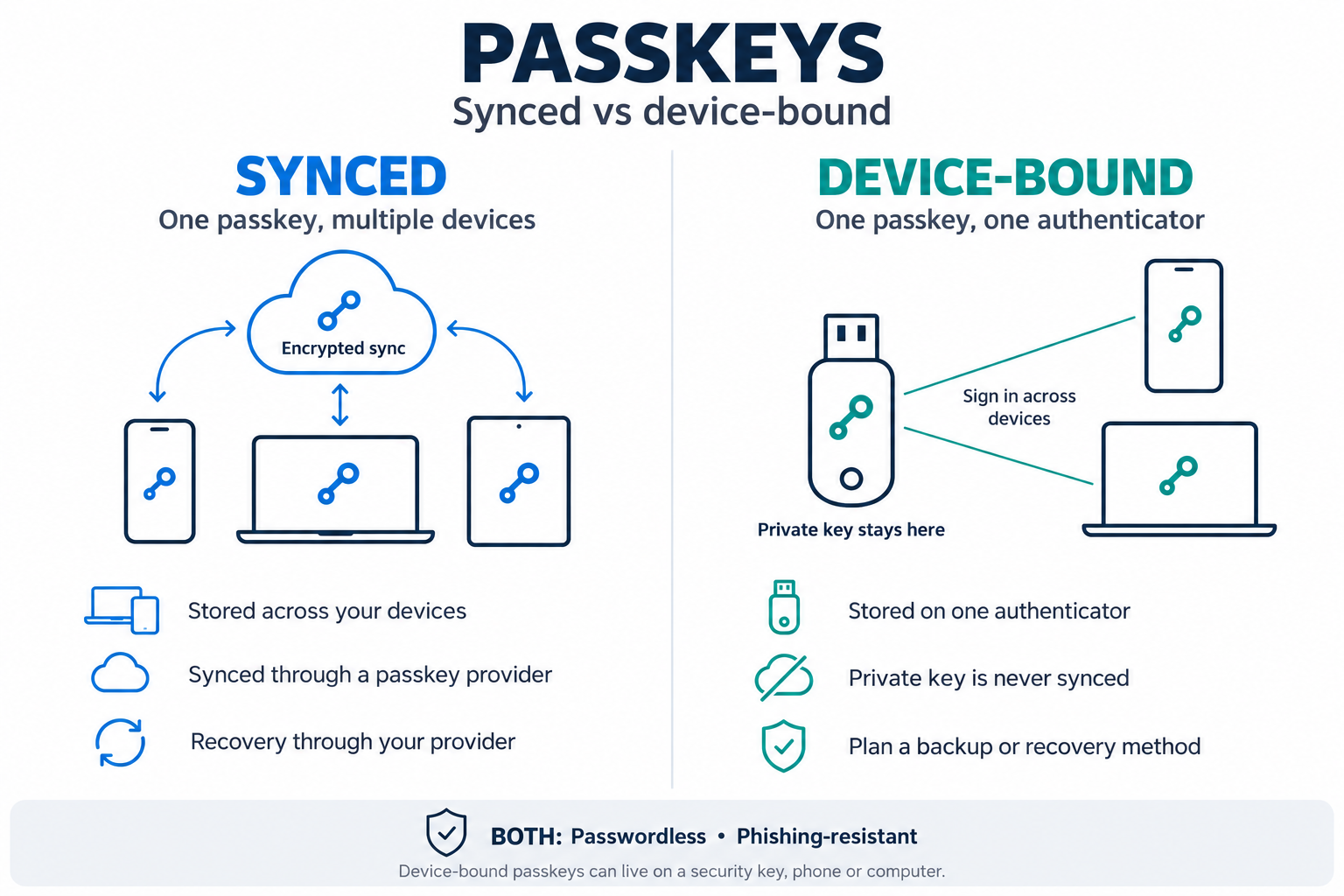
Both kinds of passkey resist phishing. The difference is whether the private key can leave the device, and that decides which accounts each one should protect.
The one difference that matters
A passkey is a FIDO2 key pair: the service holds the public key, the user holds the private key. With a device-bound passkey the private key is created inside one piece of hardware, such as a security key, a smart card, a wearable or a laptop's security chip, and can never be copied out. With a synced passkey the private key is copied through a cloud service to the user's other devices, so losing a phone does not mean losing the login.
What NIST decided
NIST published the final SP 800-63-4 digital identity guidelines in July 2025. The authentication volume, SP 800-63B-4, settles the question in three rules:
Synced passkeys are accepted at assurance level AAL2, on conditions. Keys must be encrypted in the sync service, and access to that service must itself be protected by AAL2-grade multi-factor authentication.
Synced passkeys "SHALL NOT be used at AAL3". The top level requires a private key that cannot be exported.
Every service operating at AAL2 must offer at least one phishing-resistant option.
For US federal staff, NIST adds that synced keys must sit in agency-managed accounts on managed devices. A personal cloud account is not an acceptable home for a work credential.
Where synced passkeys are attacked
The cryptography holds. The edges are where attackers work.
Recovery and enrolment. A synced passkey is as strong as the cloud account behind it and the process for adding a new device. NIST lists unauthorised access to the sync service or its recovery process as a core threat.
Downgrade. In August 2025 Proofpoint showed a phishing proxy that pretends to be an unsupported browser, so the login falls back to a weaker method the attacker can intercept. It had not been seen in live campaigns at the time. This affects any passkey when phishable fallbacks stay switched on.
Sharing. Some sync services let users share passkeys with other people. NIST advises public-facing services to assume this happens.
Which one belongs where
Customers and patients on public portals: synced passkeys. Self-service recovery, and a large step up from passwords.
Office staff on their own managed laptop and phone: synced in a managed account, or bound to the device. Meets AAL2 if the sync account is controlled.
Administrators and anyone with remote access to critical systems: device-bound, with attestation. The key cannot be copied, phished or restored onto an attacker's device.
Staff on shared workstations (wards, control rooms, shop floors): device-bound on something the person carries. The credential must move with the person, not live on a shared PC or in a personal cloud.
Staff with no work phone, or in areas where phones are banned: device-bound on a key, card or wearable. No dependency on a handset.
This is now a per-group setting
Identity platforms no longer force one answer. Microsoft Entra ID made passkey profiles generally available in March 2026, with a setting that allows device-bound passkeys, synced passkeys or both for each group of users. Commercial tenants that did not opt in were migrated automatically between May and June 2026. Where attestation was not enforced, the default profile now permits both types, so it is worth checking what yours allows.
Three things to do
Sort users by the assurance their access needs, and assign a passkey type to each group.
Remove SMS, email links and other phishable fallbacks for high-risk groups. A passkey with a weak fallback is a weak login.
Treat recovery as part of authentication. Enrol two authenticators per person and re-check identity before issuing a replacement.
